ShakePin v0.3.6: Enhanced Video Cropping, and More!
I'm excited to share my latest updates to ShakePin v0.3.6, designed to make your workflow smoother and more efficient. This release brings several powerful new capabilities and interface improvements that you've been asking for.
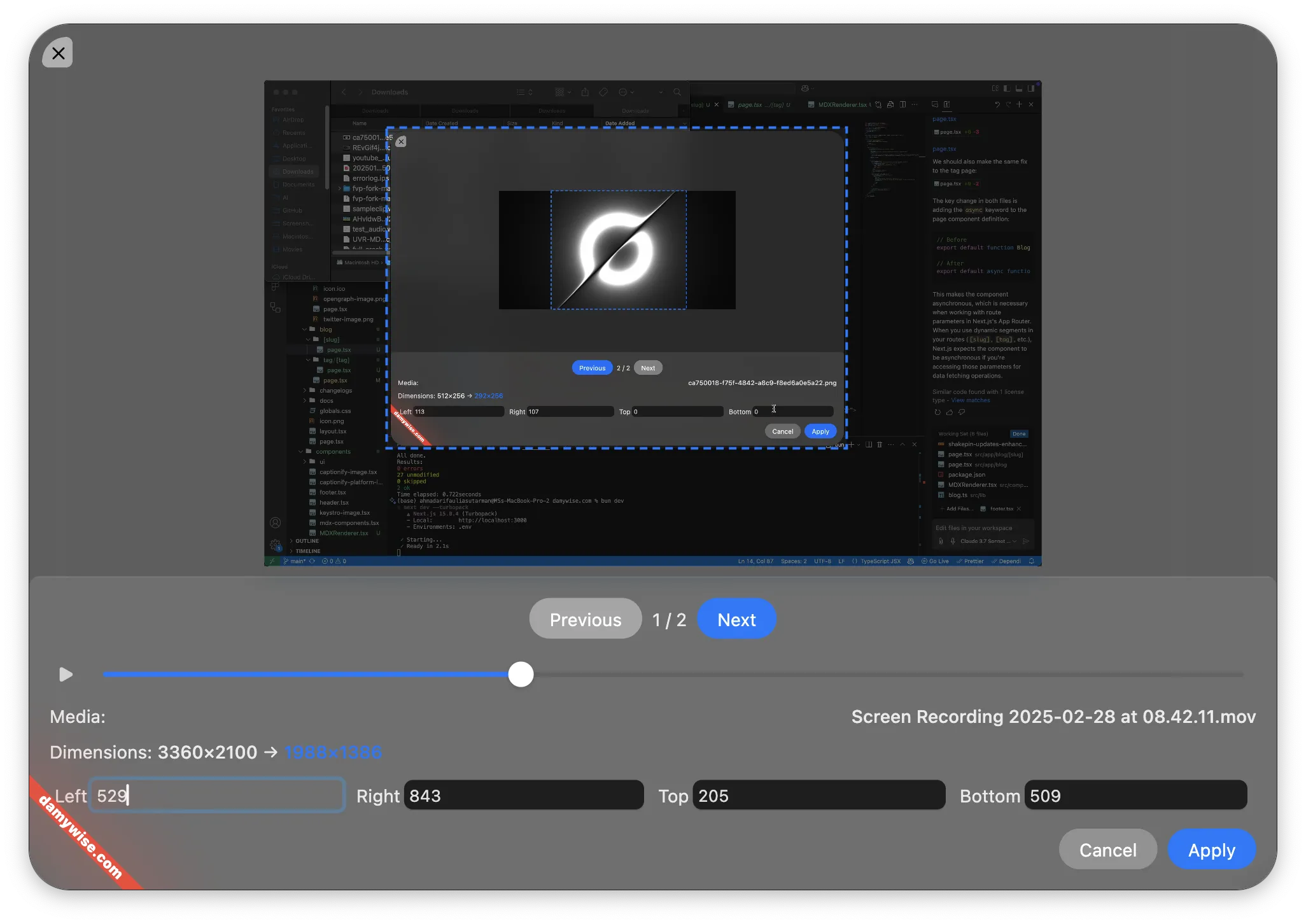
ShakePin v0.3.6 featuring the new crop tool
Development Challenges
First off, I would like to apologize for the delay in releasing this update. What should have been a straightforward development cycle turned into weeks of troubleshooting due to unexpected Xcode issues.
For those curious about the technical struggles:
- Xcode Build Failures: Suddenly, Xcode refused to build any projects, including ShakePin
- Failed Solutions: I tried everything from reinstalling Xcode, reverting to previous versions, removing specific dependencies, and countless other suggestions from forums
- Unexpected Fix: After weeks of frustration, the solution turned out to be surprisingly simple: changing the DerivedData folder location and running
pod installin the terminal
It's moments like these that test one's patience. While I'm still baffled that such a simple fix resolved weeks of headaches, I'm relieved to finally get this update into your hands.
New Crop App
One of the most requested features is finally here! I've introduced a brand new dedicated crop tool that makes precise image and video manipulation easier than ever.
- Multi-format Support: Crop both images and videos with the same intuitive interface
- Precise Control: Adjust your crop with pixel-perfect accuracy
- Live Preview: See your changes in real-time before committing
The new crop app is accessible from the minify/compress section, making it a seamless part of your workflow.
Audio Extraction
I've completely revamped the audio handling capabilities:
- Universal Extraction: Extract audio from both video and audio files with a single tool
- Sample Rate: Choose your desired sample rate for optimal audio performance
- File Format: Select your preferred output format for maximum compatibility
- Batch Processing: Apply settings across multiple video or audio files for efficiency
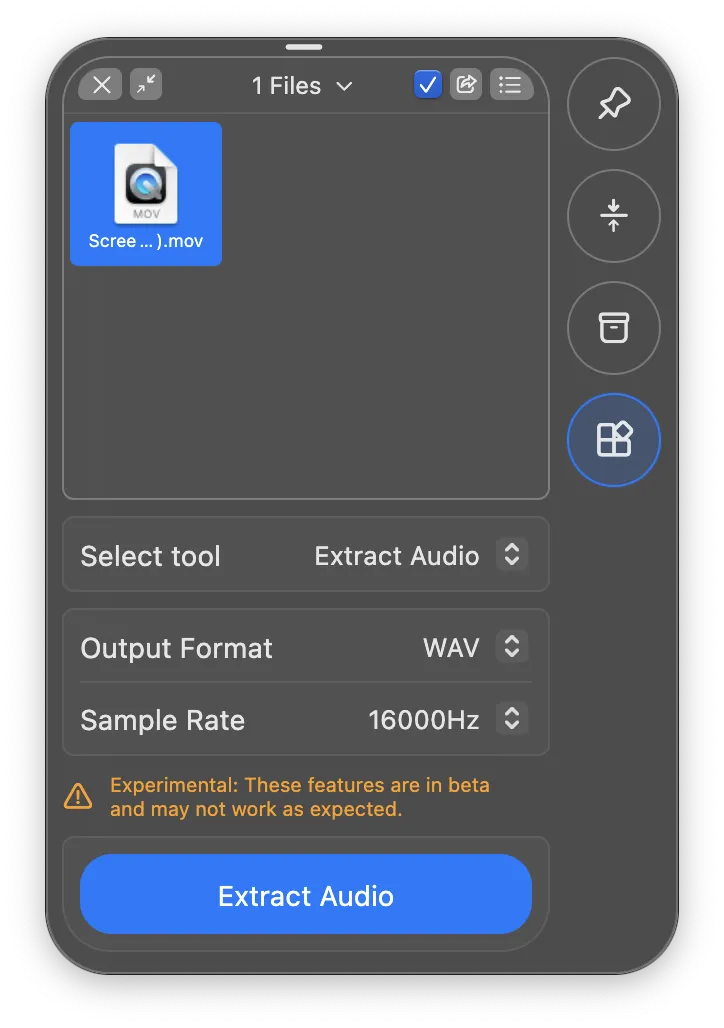
Audio extraction feature interface showing sample rate and output format options
Crop Tool Features
Image Display
The new crop app includes a modern image display system:
- Centered Layout: Images are properly centered and positioned
- Consistent Scaling: Maintain proper proportions across different image sizes
- Visual Boundaries: Clear visual indicators for crop regions
Multiple Media Support
I've built in support for working with batches of media:
- Smooth Navigation: Easily switch between media in the batch
- Batch Processing: Crop multiple images or videos in a single workflow
- Selection Indicators: Always know which region of the media will be extracted
Behind the Scenes
- Updated Dependencies
- Streamlined Application: Removed unused scripts and dependencies to make the app more efficient
- Pointer Lock: Implemented pointer lock to improve the crop tool experience.
- Windows Support: ShakePin now has support for the Windows platform. Please note that Windows support is currently experimental and is not available as a pre-built binary. However, you can build it from the source to try it out!
Try It Today!
Update your ShakePin installation to v0.3.6 to start enjoying these new features immediately. As always, I welcome your feedback as I continue to improve the application.
Open an issue on GitHub or reach out to me directly with your thoughts and suggestions hello@damywise.com.